
Network Configuration

Network configuration refers to the process of setting and arranging the elements. That make up a computer network to enable communication, data exchange, and resource sharing among different devices. It involves configuring various network components such as routers, servers, and client devices to establish a functional. Here are some key aspects of network configuration: IP Addressing: Assigning unique IP addresses to devices within a network to identify and communicate with each other. This can be done manually or automatically (using DHCP). Subnetting and CIDR: Classless Inter-Domain Routing allows for more efficient allocation of IP addresses by dividing IP address spaces into smaller subnets. This enables better address space utilization and improved network performance. Routing: Configuring routers to determine the best paths for data packets to travel between different networks. Routing Tables: Configuring routing tables on routers to determine the best path for data packets to travel through the network based on criteria. Such as shortest path, lowest cost, or specific routing protocols like OSPF or BGP. DNS: Setting up DNS servers to translate human-readable domain names into IP addresses, enabling users to access websites and other resources. Firewall Configuration: Implementing and configuring firewalls to monitor and control incoming and outgoing network traffic, enhancing security by enforcing access policies. Network Security Protocols: Implementing security protocols like WPA2/WPA3 for Wi-Fi networks, VPN configurations for secure remote access. Quality of Service (QoS): Managing and prioritizing network traffic to ensure certain applications or services receive sufficient bandwidth and perform optimally. Network Monitoring and Management: Setting up tools and software to monitor network performance, identify issues, and manage network devices efficiently. The complexity of network configuration varies depending on the size and purpose of the network. In larger enterprise environments, network configuration might involve more advanced setups and security measures compared to home. It’s crucial to follow best practices, keep systems updated, regularly monitor the network. Implement security measures to safeguard against potential vulnerabilities and ensure smooth network operations.
Troubleshooting Methods
Troubleshooting in web development involves identifying, diagnosing, and resolving issues that may arise during the development or deployment of web applications. Here are some general troubleshooting methods in web development: Check Browser Developer Tools: Use browser developer tools (Chrome DevTools, Firefox Developer Tools, etc.) to inspect elements, view console logs, and monitor network requests. Check for JavaScript errors and warnings in the console. Examine Network Requests: Inspect network requests to identify any failed requests or slow-loading resources. Check HTTP status codes for responses to identify server-side issues. Console Logging: Insert console.log statements in your JavaScript code to trace the flow of execution and log variable values. Utilize more advanced logging techniques, such as console.group() and console.table(). Check Server Logs: Examine server logs for error messages and warnings. Verify that server configurations are correct, and the server is running. Browser Compatibility: Ensure that your web application is compatible with different browsers. Cross-browser testing can help identify issues specific to certain browsers. Clear Caches: Clear browser caches to ensure that you are loading the latest versions of your files. Disable caching temporarily during development. Check for CORS Issues: If your web application makes requests to a different domain, check for Cross-Origin Resource Sharing (CORS) issues. Ensure that server responses include appropriate CORS headers. Debugging Tools: Use debugging tools and frameworks like React DevTools, Redux DevTools, or Vue Devtools if you are working with specific frameworks. Remote Debugging: Use remote debugging tools to inspect and debug applications running on remote devices or servers. Remember that effective troubleshooting often involves a combination of these methods. Patience, persistence, and a systematic approach are key when tackling issues in web development.
Web3
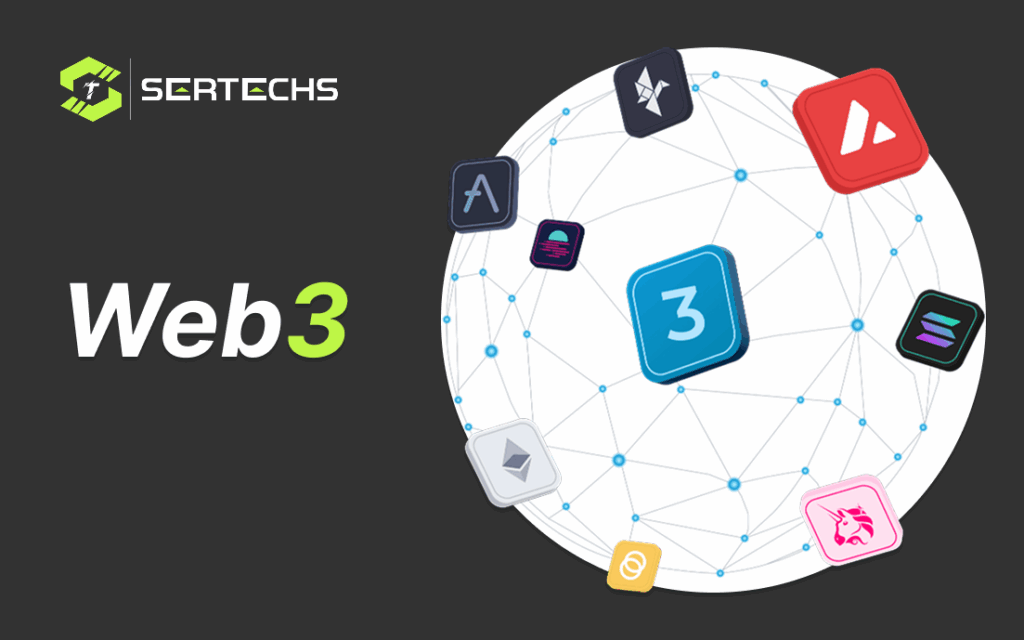
Web3 refers to a vision of the internet that involves decentralization, blockchain technology, and the concept of enabling a more user-centric internet . It represents a shift from the current centralized web (Web 2.0) to a more decentralized web infrastructure, where users have more control over their data, identity, and digital assets. Blockchain Technology: Decentralized Ledger: Blockchain is a distributed and decentralized ledger that records transactions across a network of computers in a secure and transparent manner. Each block in the chain contains a cryptographic hash of the previous block, creating a secure link between them. Consensus Mechanisms: Various consensus mechanisms (Proof of Work, Proof of Stake, etc.) are used in blockchain networks to achieve agreement on the state of the ledger without the need for a central authority. Smart Contracts: Self-executing contracts written in code that automatically enforce and execute the terms of an agreement when predefined conditions are met. Decentralized Applications (dApps): Built on Blockchain: Applications that operate on blockchain networks, utilizing their decentralized nature and smart contract functionality. Examples: Decentralized finance (DeFi) platforms, decentralized social media networks, decentralized exchanges (DEX), gaming platforms, and more. Cryptocurrencies and Tokens: Digital Assets: Cryptocurrencies like Bitcoin and Ethereum serve as digital currencies within the Web3 ecosystem. Tokens: Represent various assets, ownership rights, or utility within specific applications or ecosystems. They can be fungible (like ERC-20 tokens) or non-fungible (NFTs). Decentralized Finance (DeFi): Financial Services: DeFi refers to a set of financial services and applications built on blockchain that aim to provide alternatives to traditional finance, such as lending, borrowing, staking, yield farming, and decentralized exchanges. Open and Permissionless: Anyone with internet access can participate in DeFi services without the need for intermediaries like banks. Interoperability: Cross-chain Communication: Efforts to enable different blockchain networks to communicate and transact with each other seamlessly, fostering greater connectivity and collaboration between diverse protocols and systems. User Control and Privacy: Self-sovereign Identity: Users have more control over their digital identities, allowing them to manage and share their information securely without relying on centralized authorities. Enhanced Privacy: Encryption and zero-knowledge proofs contribute to heightened privacy and confidentiality of user data. Cryptography and Security: Immutable Records: The use of cryptographic hashing ensures the immutability and integrity of data stored on the blockchain. Secure Transactions: Advanced cryptography secures transactions and ensures authenticity, integrity, and confidentiality. Web3 aims to revolutionize various industries by leveraging decentralized technologies, empowering users, enhancing security and privacy, and fostering innovation in a trustless environment. It is an evolving concept with ongoing developments and advancements in decentralized technologies. The goal of Web3 is to create a more transparent, open, and equitable internet where users have more autonomy over their digital lives and interactions. It encompasses a wide range of technologies and concepts that aim to reshape various industries, including finance, gaming, supply chain, identity verification, and more, by leveraging the capabilities of blockchain and decentralization.
Headless CMS
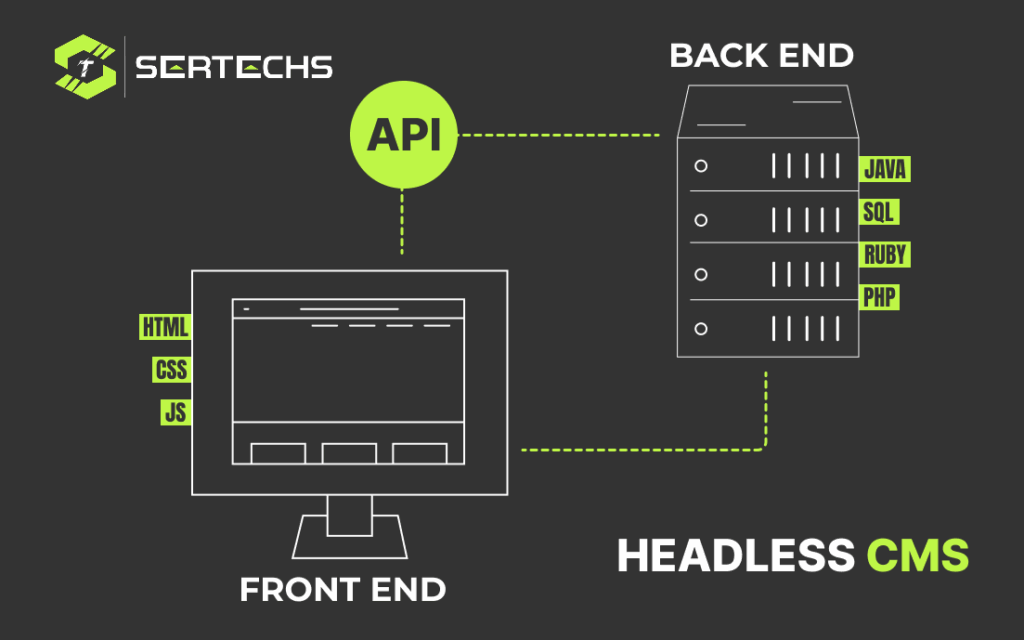
A Headless CMS (Content Management System) is a backend-only content management system where the content repository is separated from the presentation layer (front end). In a traditional CMS, like WordPress or Drupal, the content management and content presentation are tightly coupled. However, in a headless CMS architecture, content is stored and managed centrally, but it’s delivered to various front-end platforms (websites, mobile apps, IoT devices, etc.) through APIs (Application Programming Interfaces). Key features of a headless CMS include: Content Repository: It stores and manages content (text, images, videos, etc.) in a structured manner, often using a RESTful API or GraphQL, allowing for easy access and manipulation of content. API Access: Content is accessed via APIs, enabling developers to retrieve, create, update, and delete content programmatically from any device or platform. Flexibility and Omnichannel Delivery: Developers have the flexibility to display content across various channels (websites, apps, wearables, etc.) and technologies, allowing for a consistent user experience. Technology Agnostic: As the front end is decoupled from the backend, developers have the freedom to use any technology stack for building the user interface, making it easier to adapt to new technologies or frameworks. Scalability and Performance: Headless CMS architectures often offer improved scalability and performance as content delivery is optimized by not being tied to the presentation layer. Popular headless CMS platforms include: Contentful: A widely used headless CMS that offers a flexible content infrastructure and APIs for delivering content across different platforms. Strapi: An open-source headless CMS that allows for self-hosting and offers a customizable content management experience. Prismic: Another headless CMS that provides an easy-to-use interface for content creation and distribution. Developers and organizations often choose headless CMS solutions when they require flexibility in content delivery across multiple channels, want to future-proof their technology stack, or need to integrate content into various applications without constraints imposed by a traditional coupled CMS.
Threats in IoT Security

Internet of Things (IoT) security faces various threats and challenges due to the interconnected nature of devices and the potential vulnerabilities in the IoT ecosystem. Some of the common threats in IoT security include: Unauthorized Access: Unauthorized users gaining access to IoT devices or networks, potentially compromising data, controlling devices, or using them as entry points to launch attacks. Data Privacy and Theft: IoT devices often collect and transmit sensitive data. Unauthorized access or data breaches can result in the theft of personal or confidential information. Device Tampering: Physical tampering with IoT devices can lead to unauthorized control or manipulation, potentially causing harm or disrupting operations. Denial of Service (DoS) Attacks: Attackers can flood IoT networks or devices with traffic, overwhelming them and causing service disruptions. Insecure Communication: Inadequate encryption and authentication mechanisms can lead to eavesdropping on data transmissions, potentially exposing sensitive information. Weak Passwords and Credentials: Many IoT devices come with default or weak credentials, making them easy targets for password-based attacks, like brute force or dictionary attacks. Lack of Security Updates: Manufacturers may not provide timely security updates or patches for IoT devices, leaving them vulnerable to known vulnerabilities. Supply Chain Vulnerabilities: Compromised components or firmware during the manufacturing process can introduce vulnerabilities into IoT devices before they even reach the end user. Cloud and Backend Vulnerabilities: Weaknesses in the cloud infrastructure or backend services that support IoT systems can be exploited to compromise the entire ecosystem. Lack of Device Management: Poor device management practices can result in devices not being properly configured or monitored, making them easy targets for attacks. Physical Security: Physical theft, damage, or tampering of IoT devices can compromise their functionality and the security of the network. Botnets: IoT devices can be harnessed into botnets for use in larger cyberattacks, like Distributed Denial of Service (DDoS) attacks. Interoperability Issues: Incompatibility or poor integration between different IoT devices and platforms can create security gaps and vulnerabilities. To address these IoT security threats, it is essential to implement security best practices such as strong authentication, encryption, regular updates, intrusion detection, and access control. Additionally, a comprehensive security strategy that considers the entire IoT ecosystem, from device to network to cloud, is crucial to mitigate these threats effectively.
Web Assembly
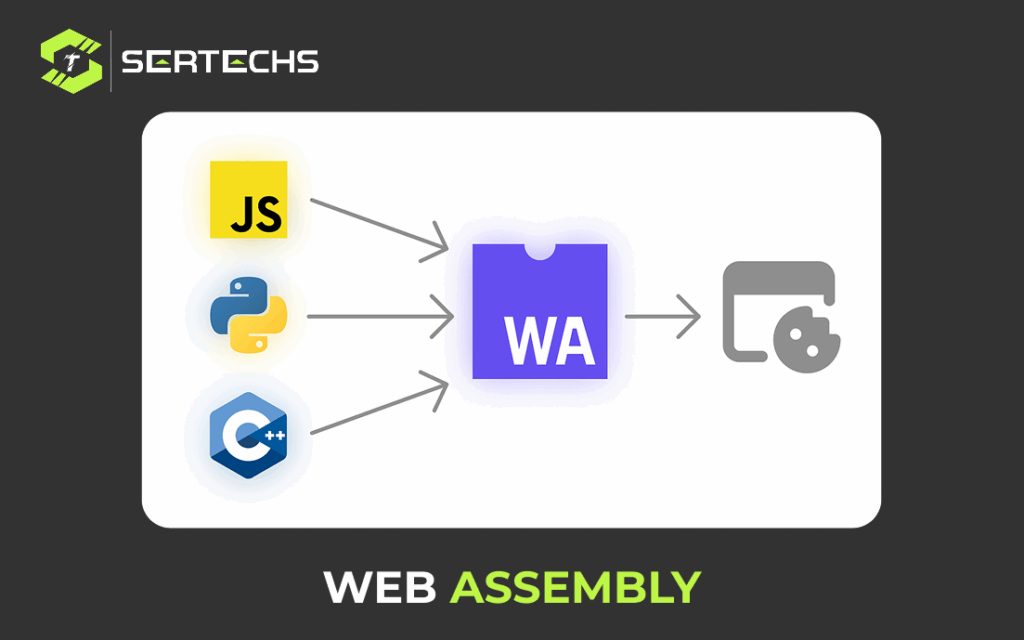
Web Assembly, often abbreviated as Wasm, is an open standard and a binary format designed for safe and efficient execution on web browsers and other environments. It serves as a portable compilation target for high-level programming languages like C, C++, and Rust, enabling them to run in web browsers and other runtime environments with near-native performance. Here are some key points about Web Assembly: Portable and Efficient: Web Assembly is designed to be a low-level virtual machine that runs at near-native speed. It provides a compact binary format that is both efficient to decode and execute. Browser Integration: It is supported by most modern web browsers, including Google Chrome, Mozilla Firefox, Microsoft Edge, and Safari. This allows web developers to run code written in languages other than JavaScript directly in the browser. Programming Language Agnostic: While often associated with languages like C, C++, and Rust web assembly can be generated from a wide range of programming languages. This versatility makes it a useful tool for web developers who want to leverage existing codebases or write high-performance code for the web. Safety: This is designed with security in mind. It enforces a sandboxed execution environment, preventing it from accessing system resources directly. It also provides features like bounds checking to mitigate security vulnerabilities. Interoperability: They can interface with JavaScript code seamlessly, allowing developers to leverage the strengths of both languages within a single application. This interoperability is essential for integrating Web Assembly into web applications. Versatility: It is not limited to web browsers. It can be used in various runtime environments, such as Node.js, desktop applications, and cloud services, expanding its applicability beyond the web. Small binary size: The binaries are compact, reducing load times and improving performance. This is especially important for web applications where fast loading is critical. Open standard: It is an open and community-driven standard, maintained by the World Wide Web Consortium (W3C) and supported by various tech companies and organizations. To use Web Assembly, developers typically write code in a high-level language like C, C++, or Rust and then compile it to Web Assembly binary format. Once compiled, its code can be embedded in web pages and executed within a web browser or other supported environments.
Voice Search Optimization

Voice search optimization, also known as voice search SEO, is the process of optimizing your online content to make it more accessible and relevant to users who conduct searches using voice-activated virtual assistants like Siri, Google Assistant, Amazon Alexa, or Cortana. As voice search technology has become more prevalent, optimizing your content for voice search is essential for ensuring that your website or digital presence is visible to a growing audience. Here are some key strategies and tips for voice search optimization: Conversational Keywords: Voice search queries tend to be more conversational and natural than traditional text-based searches. Incorporate long-tail keywords and phrases that people are likely to use when speaking to a virtual assistant. Local Optimization: Many voice searches are location-based. Ensure your business information is accurate and up-to-date on platforms like Google My Business, so that voice assistants can provide accurate local information. Mobile Optimization: Most voice searches are conducted on mobile devices. Ensure your website is mobile-friendly and loads quickly for a better user experience. Natural Language Processing (NLP): Use natural language in your content and aim to answer specific questions that users might ask. NLP technology helps virtual assistants understand and provide relevant answers. User Intent: Understand the user’s intent behind their voice search and create content that addresses that intent effectively. This might require conducting research into your target audience’s questions and needs. Site Speed: Ensure your website loads quickly, as voice search users often expect fast and responsive results. Voice-Friendly Content: Create content that is easy to read aloud and sounds natural when spoken. This includes using shorter sentences, simpler language, and clear headings. Mobile App Optimization: If you have a mobile app, optimize it for voice searches, as virtual assistants can often search within apps. User Experience: Provide a seamless and user-friendly experience to engage visitors and encourage them to spend more time on your site. Regular Updates: Stay updated with changes in voice search technology and algorithms. Voice search optimization is an evolving field, and keeping your strategies current is essential. Monitor Analytics: Use tools like Google Analytics to track voice search traffic and performance. Adjust your optimization strategies based on the data you collect. Voice search is expected to continue growing, and optimizing for it can help you reach a broader audience and stay competitive in the online space. Keep in mind that the user experience and the quality of your content remain paramount in voice search optimization.
User Experience (UX)

User Experience (UX) is a critical aspect of designing and building products, services, websites, and applications that meet the needs and expectations of users while providing a positive and enjoyable interaction. UX design focuses on enhancing user satisfaction by improving the usability, accessibility, and overall quality of the user’s interaction with a product or system. Key principles and components of UX design include: User-Centered Design: User Experience UX design starts with a deep understanding of the user’s needs, goals, and behaviors. Design decisions are made based on user research, feedback, and testing. Usability: A user-friendly design is a fundamental aspect of UX. The product should be easy to use, and users should be able to accomplish tasks efficiently and without frustration. Information Architecture: This involves structuring and organizing content and information in a logical and user-friendly manner. Clear navigation and a well-organized interface are essential for a good user experience. Visual Design: Aesthetics and visual appeal play a significant role in UX. A visually pleasing and coherent design can enhance the overall experience. Interaction Design: This focuses on the way users interact with a product. It includes designing interfaces and interactions that are intuitive and responsive. User Feedback and Testing: Regularly collecting user feedback and conducting usability testing helps identify issues and areas for improvement. Iterative design is a core principle of UX. Performance and Speed: Slow-loading websites or laggy applications can negatively impact the user experience. Optimizing performance is essential for a positive UX. Mobile-Friendly Design: With the increasing use of mobile devices, ensuring that a product is responsive and works well on different screen sizes and devices is essential for a good UX. Prototyping and Wireframing: Creating prototypes and wireframes allows designers to test and refine ideas before implementing them in the final product. User Personas: Creating user personas helps designers understand and empathize with different user segments, tailoring the UX to their specific needs. User Testing: Directly observing how users interact with a product through usability testing provides valuable insights into its strengths and weaknesses. Effective UX design is an ongoing process, and it requires collaboration between designers, developers, and stakeholders to create products that not only meet business goals but also provide users with a satisfying and effective experience. Ultimately, a strong UX can lead to increased user satisfaction, customer loyalty, and business success.
SEO Tools
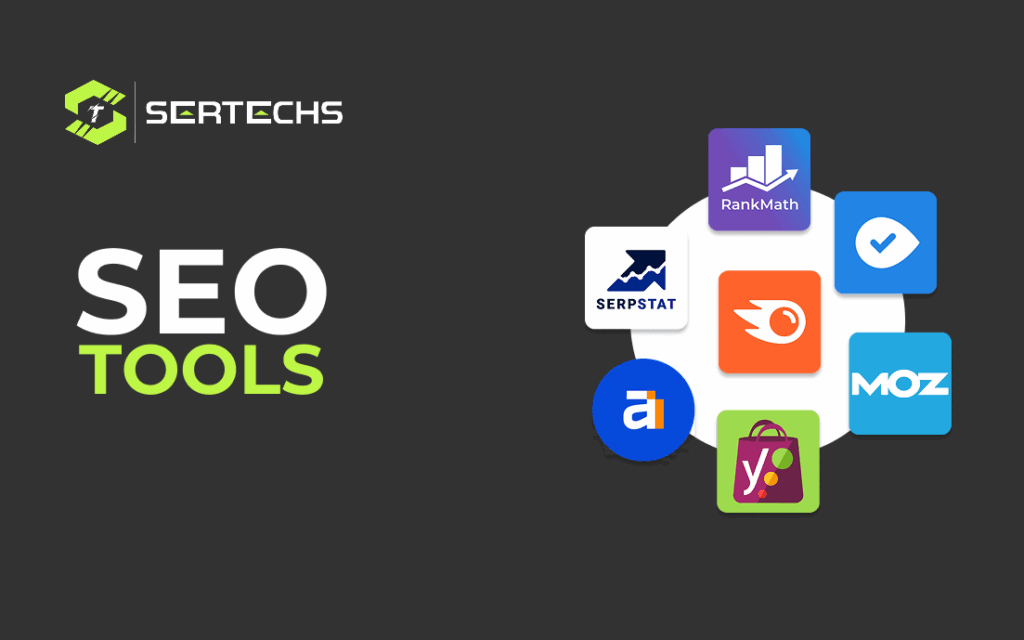
Search Engine Optimization (SEO) tools are essential for optimizing your website’s visibility on search engines like Google. These tools help you analyze your website’s performance, track keywords, and identify areas for improvement. Here are some popular SEO tools: Google Search Console: This is a free tool provided by Google that helps you monitor and optimize your site’s presence in Google’s search results. It provides valuable insights into how Googlebot sees your site. Google Analytics: While primarily used for web analytics, Google Analytics can also provide information on your website’s performance and visitor behavior, which is crucial for SEO. SEMrush: SEMrush is an all-in-one SEO suite that provides tools for keyword research, site audit, rank tracking, and competitor analysis. Ahrefs: Ahrefs is known for its backlink analysis capabilities. It also offers keyword research, site audit, and competitive analysis tools. Moz Pro: Moz Pro includes features like site audits, rank tracking, and keyword research tools. It also offers a browser extension called MozBar for on-page SEO analysis. Yoast SEO: If you’re using WordPress, the Yoast SEO plugin is a popular choice for on-page optimization. It helps you optimize content for specific keywords and provides readability analysis. Ubersuggest: Ubersuggest, developed by Neil Patel, offers keyword research and SEO analysis tools. It’s user-friendly and suitable for beginners. Majestic: Majestic is a backlink analysis tool that provides data on the strength and quality of backlinks to your site and your competitors’ sites. Serpstat: Serpstat offers features like keyword research, site audit, and rank tracking. It’s a comprehensive SEO toolset. WooRank: WooRank provides website reviews with a focus on on-page and technical SEO issues. It offers recommendations for improvement. RankMath: Another WordPress SEO plugin, RankMath offers features like on-page analysis, keyword optimization, and schema markup for better search engine visibility. These are just a few examples of the many SEO tools available. The choice of tools depends on your specific needs and budget. Some are free or offer free versions with limited features, while others require a subscription. Consider your goals and the aspects of SEO you want to focus on when selecting the right tools for your website.
Advantages of SEO

Search Engine Optimization (SEO) offers several advantages for businesses and website owners looking to improve their online presence and visibility. Here are some of the key advantages of SEO: Increased Organic Traffic: SEO helps your website rank higher in search engine results pages (SERPs), which can lead to a significant increase in organic (non-paid) traffic. This can result in more potential customers visiting your site. Cost-Effective: Compared to paid advertising and other marketing strategies, SEO is a cost-effective way to drive traffic to your website. Once your site ranks well, you can continue to attract visitors without ongoing high advertising costs. Targeted Traffic: SEO allows you to target specific keywords and phrases relevant to your business or industry. This means you can attract users who are actively searching for products, services, or information related to what you offer. Improved User Experience: SEO is not just about optimizing for search engines; it also involves making your website more user-friendly. This can lead to a better overall experience for visitors, which can result in increased engagement and conversions. Long-Term Results: Unlike some marketing strategies that provide short-term gains, the effects of SEO can be long-lasting. Once you achieve high rankings, it’s easier to maintain them with ongoing optimization. Competitive Advantage: If your competitors are investing in SEO and you’re not, you risk losing market share to them. Conversely, by optimizing your site, you can gain a competitive edge in your industry. Mobile-Friendly Optimization: With the increasing use of mobile devices for internet browsing, SEO also includes mobile optimization, ensuring your site is accessible and user-friendly on smartphones and tablets. Measurable Results: You can track the effectiveness of your SEO efforts using various tools and analytics. This allows you to make data-driven decisions and continually refine your SEO strategy for better results. Better ROI: SEO generally provides a higher return on investment (ROI) compared to many other digital marketing methods because it targets users actively seeking what you offer. In summary, SEO offers numerous advantages, including increased organic traffic, cost-effectiveness, improved credibility, and the potential for long-term success. It’s a crucial element of a comprehensive digital marketing strategy for businesses and websites looking to thrive in the online landscape.